Call Us Now
For Product Enquiry
Opening Hours
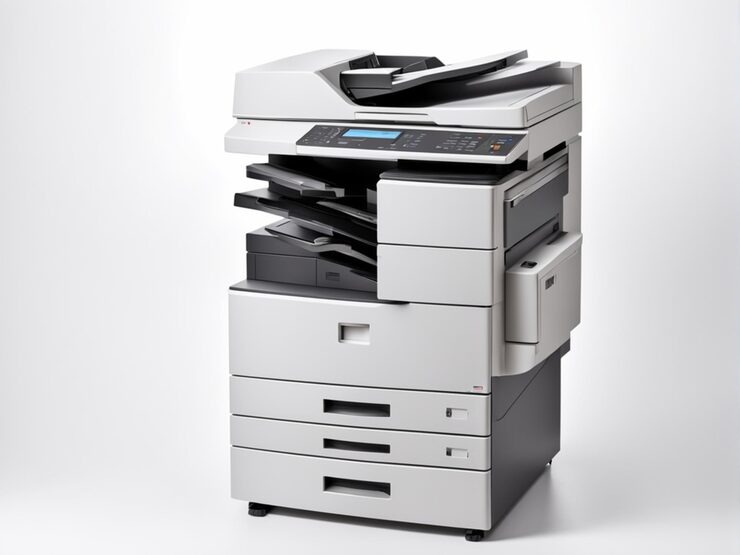
“A reliable photocopier is not just an office machine; it is an essential tool for maintaining everyday business productivity.”
Every office has a constant flow of paperwork, from printing business reports and preparing client documents to maintaining important records. Managing these tasks efficiently requires a photocopier that matches your workplace demands. Choosing the right Photocopier Dealers in Chennai can help you explore suitable machines with the right combination of speed, print quality, paper capacity, and advanced features. However, with different models and technologies available, understanding what makes a photocopier suitable for your business is essential. This guide explores the important factors to consider before investing in a photocopier for your office.
All businesses have different types of documents that need to be processed. A small business might require a photocopier for printing and photocopying on a moderately frequent basis while a corporate environment could have a requirement for hundreds of documents per day. When choosing a machine, you should take into consideration the actual amount of work that is to be performed, as doing so will ensure not only consistent performance but also reduce the amount of equipment used and avoid unnecessary costs. Understanding the recommended monthly duty cycle is also important because it indicates the number of pages a machine is designed to handle within a month.
Currently, photocopiers are efficient machines that can accomplish multiple functions of a document in a single machine. The multifunction photocopier is a combination of various prints and copies along with other features in a single unit, thus enabling the staff members to do their jobs without relying on multiple machines. These machines are especially helpful for companies that have a lot of physical and digital paperwork. Selecting appropriate multifunction features can also assist in conserving office space and making everyday paperwork management easier.
For a busy office, printing speed will be one of the important specs to consider while purchasing a photocopier machine. It is usually given in terms of pages per minute (ppm) which refers to the number of pages that can be printed by a machine in a minute. But, the processing time, paper handling and number of users using the machine, also play a role in real performance. Companies should take these features into consideration to ensure they can find equipment that can print without any of the unnecessary delays or hitches that they incur on a daily basis.
Paper handling features indicate how easy a photocopier is to use for various sizes and paper types. A particular business may need various paper setups for documents like reports, brochures, invoices, presentations, and more. Choosing a machine that is compatible with trays and paper makes printing more convenient every day. In addition, larger input trays can minimize the need to refill the paper frequently, especially in busy office environments where there is a constant need for printing.
Modern photocopiers are more user-friendly because of their connectivity features. Documents can be sent directly from the computer/laptop/mobile device, eliminating the need to manually transfer files. Multiple users can also connect to a centralised photocopier via network, making document processing more convenient in various departments. Wireless printing, cloud integration, and direct scanning capabilities can be advantageous for businesses that are reliant on digital workflows.
The printing technology a photocopier employs has an impact on print quality, cost and maintenance. Any business wanting to buy the machine should know about its image resolution and the toners system used to power the machine. Clear and consistent output is particularly important for workplaces that regularly prepare professional reports, contracts, presentations, and marketing materials. You can find out what equipment fits your document production requirements by examining the qualities of the toners, the drum performance, and resolution specifications.
Buying a photocopier is not just a matter of the cost of the machine. The ownership costs include regular servicing, toner replacement and component maintenance, and some repairs. By knowing these needs beforehand, businesses can better prepare an equipment budget. As well, technical support is crucial as there may be unplanned machine failures that may disrupt your office routine. Consider the level of warranty coverage and the availability of service in order to provide long-term equipment reliability.
Also Read This: How Modern ID Card Printing Brings Design, Security and Speed Together
Choosing a suitable photocopier requires a clear understanding of your office workload, printing requirements, available features, and long-term operating expenses. From multifunction capabilities and digital connectivity to paper handling and document security, every specification contributes to the machine’s overall usefulness. Comparing different models and evaluating their technical capabilities can help businesses make practical purchasing decisions. Reliable photocopier dealers in chennai can also provide product guidance, explain machine specifications, and help identify equipment based on your operational needs. Investing in the right photocopier supports efficient document management and creates a more productive working environment.
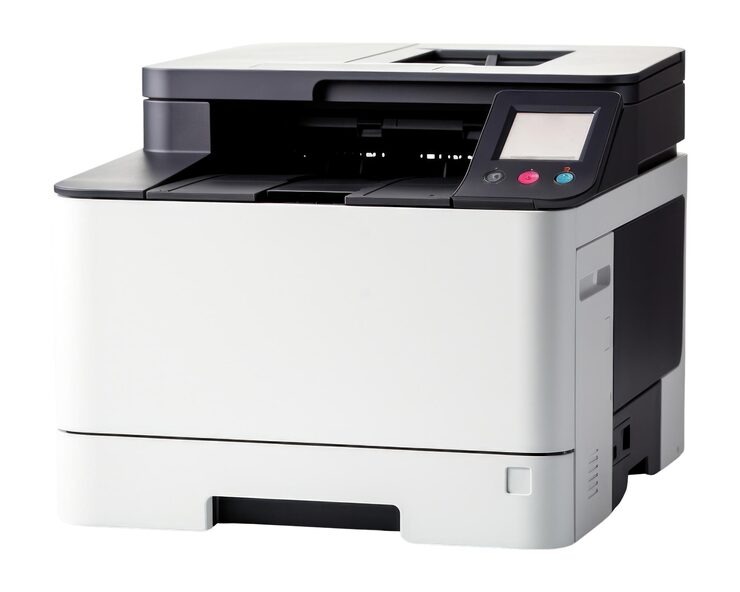
Consider printing speed, monthly duty cycle, paper handling capacity, print quality, connectivity options, maintenance expenses, and multifunction capabilities before selecting a photocopier.
A compact multifunction photocopier with printing, scanning, and copying features is generally suitable for small offices with moderate document processing requirements.
A printer produces documents from digital files, whereas a photocopier creates duplicates of existing physical documents. Multifunction machines can perform both operations.
Regular servicing, using compatible toner cartridges, following manufacturer guidelines, and keeping the machine clean can help reduce maintenance expenses.
Printing speed determines how quickly a machine produces documents. Choosing suitable pages-per-minute (PPM) capacity helps businesses manage large printing requirements efficiently.
Looking for top-notch Printer, Photocopier Dealers in Chennai? Well, we are one of the best Photocopier Dealers in Chennai, Printer Dealers in Chennai. At Vijay Imaging, we bring businesses closer to world-class printing solutions by offering genuine products like Canon Photocopier, HP Printer, Epson Printer, Kyocera Photocopier, Konica Minolta Printer, Brother Printer, Evolis Card Printer, ID Card Printer in Chennai.
No: 160/2, Poonamallee Salai, Kolapakkam, Porur, Chennai, Tamil Nadu, India – 600128
© 2026 Vijay Imaging Products. All Rights Reserved. | Chennai, Tamil Nadu Designed & Developed By